
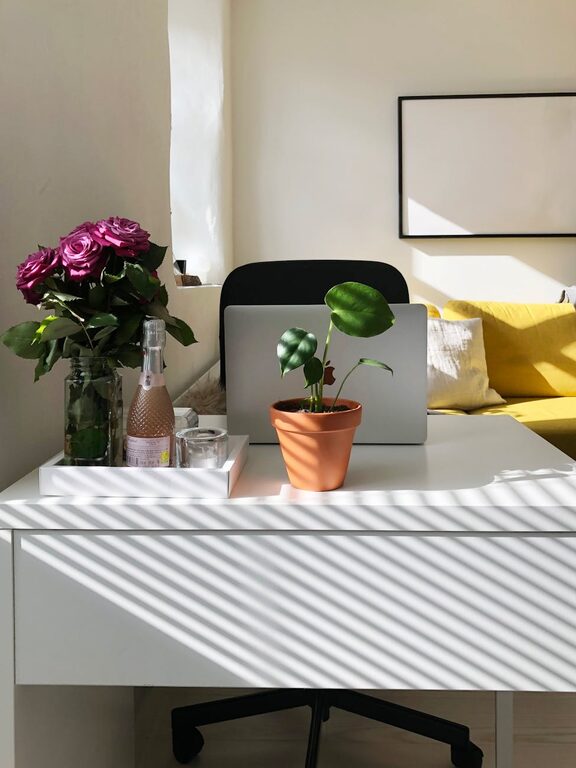
Tips for Creating a Cozy and Inviting Home Workspace
Creating a home workspace that feels cozy and inviting can significantly improve your comfort and focus while working from home. Whether you have a dedicated room or just a corner of your living room, making this space a pleasant and functional environment is key. This post will guide you through practical tips to design a workspace that supports productivity and feels great to spend time in.
Why a Cozy Workspace Matters
A comfortable workspace can reduce stress, increase motivation, and help maintain a good work-life balance. When your workspace is both inviting and organized, it becomes easier to get into a productive flow and enjoy your work hours.
Choosing the Right Location
Find Natural Light
Position your desk near a window if possible. Natural light not only brightens your space but also helps regulate your mood and energy. Avoid placing your screen directly opposite bright windows to reduce glare.
Consider Privacy and Noise Levels
Select a spot in your home that minimizes distractions. If noise is an issue, consider noise-cancelling headphones or adding soft materials like rugs and curtains to absorb sound.
Ergonomic and Comfortable Furniture
Invest in a Good Chair
Comfortable seating is essential. A chair with proper lumbar support helps prevent back pain and keeps you comfortable during long working sessions.
Choose a Desk That Fits Your Needs
Whether you prefer a traditional desk, a standing desk, or an adjustable model, make sure it suits your workflow and space. The desk height should allow you to keep your wrists straight when typing.
Personalize Your Space
Add Warm Elements
Use soft textiles like cushions, throw blankets, or a small area rug to add warmth. These elements make the space feel more inviting and less sterile.
Bring in Greenery
Houseplants not only enhance the appearance but also improve air quality and reduce stress. Choose low-maintenance plants like succulents or pothos if you’re new to gardening.
Incorporate Your Style
Decorate with artwork, photos, or decor items that inspire you. Personal touches help create a space you enjoy being in, making work feel less like a chore.
Organize for Success
Use Storage Solutions
Keep your workspace tidy with shelves, bins, and desk organizers. Reduce clutter by storing away items you don’t frequently use.
Manage Cables Neatly
Cable management tools prevent tangled cords and keep surfaces clean. This can reduce frustration and make your workspace look more professional.
Optimize Lighting for Comfort
Combine Ambient and Task Lighting
Ensure your workspace is well-lit using a mix of general room lighting and task lights, such as desk lamps. Adjustable lamps are especially useful for reducing eye strain.
Choose Warm Light Bulbs
Bulbs with a warm color temperature create a cozy atmosphere and reduce harsh light effects that can tire your eyes during long hours at the desk.
Create a Routine-Friendly Environment
Designate Your Workspace as Work Only
Try to keep work materials and activities confined to your workspace. This helps your brain associate the area with productivity, improving focus when you’re there.
Include Break Reminders
Add a small clock or timer to remind yourself to take regular breaks. Step away from your desk occasionally to refresh your mind and body.
Keep It Airy and Fresh
Good air quality and ventilation can increase alertness and decrease fatigue. If possible, open windows regularly or use an air purifier to keep the space feeling fresh.
Final Thoughts
Creating a cozy and inviting home workspace doesn’t require major renovations or expensive purchases. By focusing on comfort, personalization, and organization, you can design an environment that enhances both your work performance and well-being.
Take time to experiment with your setup and adjust as needed to find what works best for you. A thoughtfully created workspace can turn your home office into a place you look forward to starting your day in.
